Deactivate a user from your team without deleting them
You can deactivate a user from some specific team following these steps:
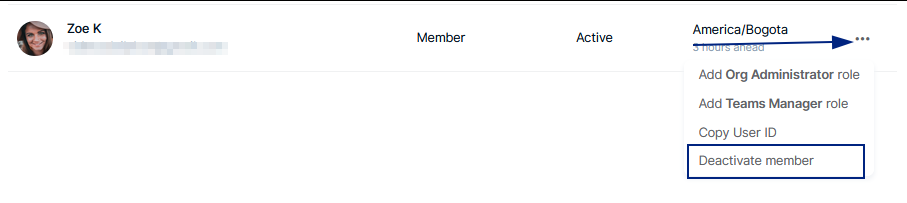
Go to Organization > Members > find the person name, click the 3 dots menu and click “Deactivate member”.
If you’re an Org administrator and you’re trying to remove yourself from the org, please assign Org admin permissions to other user first so they can continue managing the account and deactivate your account.
Note: if you want to fully delete someone’s account or yours, please submit a new ticket.