Your permissions, nothing more
The assistant sees what you can see in Dailybot, in the organization you pick.
Dailybot MCP
Dailybot plugs into the AI assistant you already use. Ask about check-ins, blockers and wins in plain words, and hand it the busywork when you're ready.
Works on free plans, including Claude and ChatGPT.
One URL, OAuth in the browser, your Dailybot permissions. Add it to Claude Code, Codex, Cursor, VS Code, ChatGPT or Claude.
https://mcp.dailybot.com/mcp Terminal
claude mcp add --transport http dailybot https://mcp.dailybot.com/mcpMCP (Model Context Protocol) is the standard way AI assistants plug into other apps. Think of it as a connector: add Dailybot once, and your assistant can read what your team shares there.
“Who’s blocked this week?”
Any assistant that supports MCP calls the Dailybot connector.

From your team's check-ins, forms and tasks.
The assistant sees what you can see in Dailybot, in the organization you pick.
Reading is instant. Sending, approving or editing waits for your request, and your assistant can show it to you first.
Keep working in the assistant you already use. Dailybot brings your team into the conversation.
Shown in Claude and ChatGPT. Other assistants follow the same idea: add a connector, paste the URL, sign in.
https://mcp.dailybot.com/mcp claude.ai and Claude Desktop
On Team or Enterprise, an owner adds the connector for the organization first.
Using another assistant?
If your assistant lets you add a custom MCP connector or server, use the URL above and sign in to Dailybot. Coding tools like Cursor, Codex and VS Code take one command.
42
tools across check-ins, forms, tasks, kudos, messages and automations
1 URL
Streamable HTTP for every client. No local process to run.
OAuth
Browser sign-in. No API keys, JWTs or CLI tokens.
Your role
One person in one organization, with their current permissions.
Paste this into Claude Code, Codex or Cursor. You only finish the browser sign-in.
Add the Dailybot remote MCP server (https://mcp.dailybot.com/mcp) to this client. Follow https://www.dailybot.com/developers/mcp.md for the right config format and keep my other MCP servers. Never ask me for an API key or token: I will complete the OAuth sign-in in my browser. When the Dailybot tools load, ask "What needs me today?" to verify.
Your client lists the live set after sign-in. Writes run as you, and most clients ask before running one.
Read20
Write22
Each app is a live page in Claude that runs on your Dailybot. Duplicate one and it’s yours.Each app is a Claude artifact that calls the connector from the page. Duplicate one, then ask Claude to change it.
Customize (claude.ai/plugins) → Connectors → Add → Add custom connector. Name it "Dailybot" exactly, use https://mcp.dailybot.com/mcp, then Connect and Allow.
Open it, then Share → Duplicate. Your copy runs on your Dailybot.
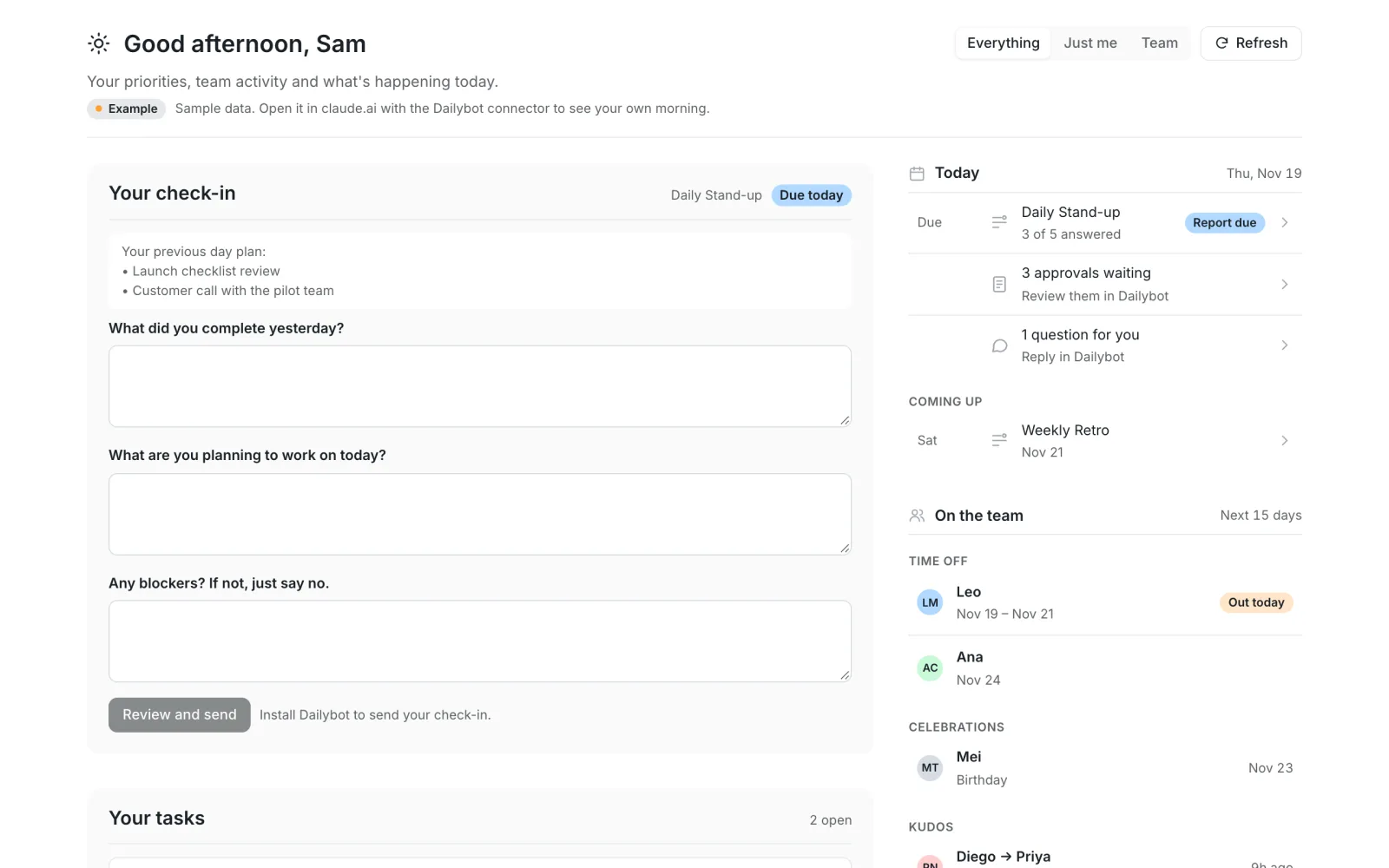
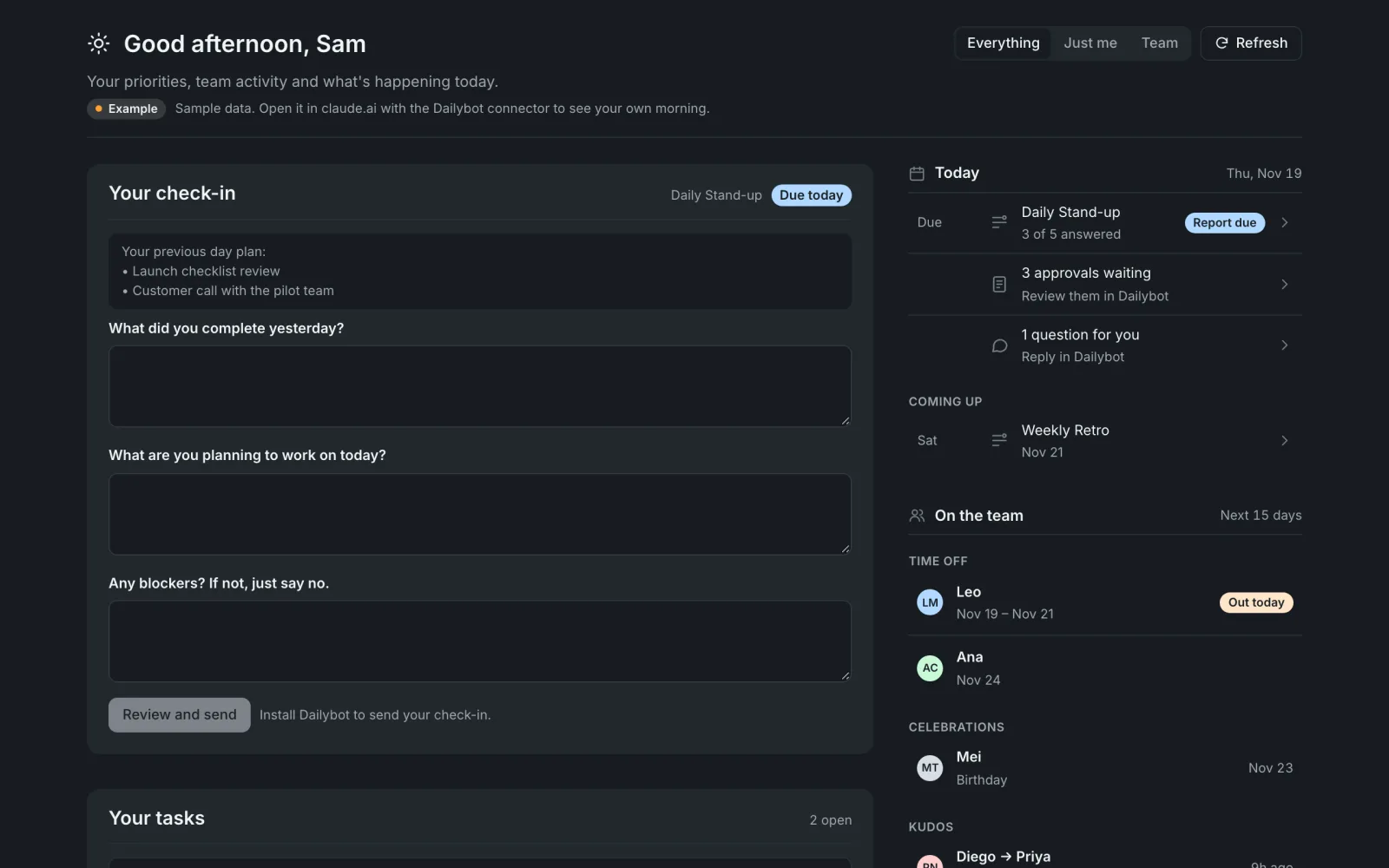
Start your day with your priorities, your check-in, your tasks and what the team posted.
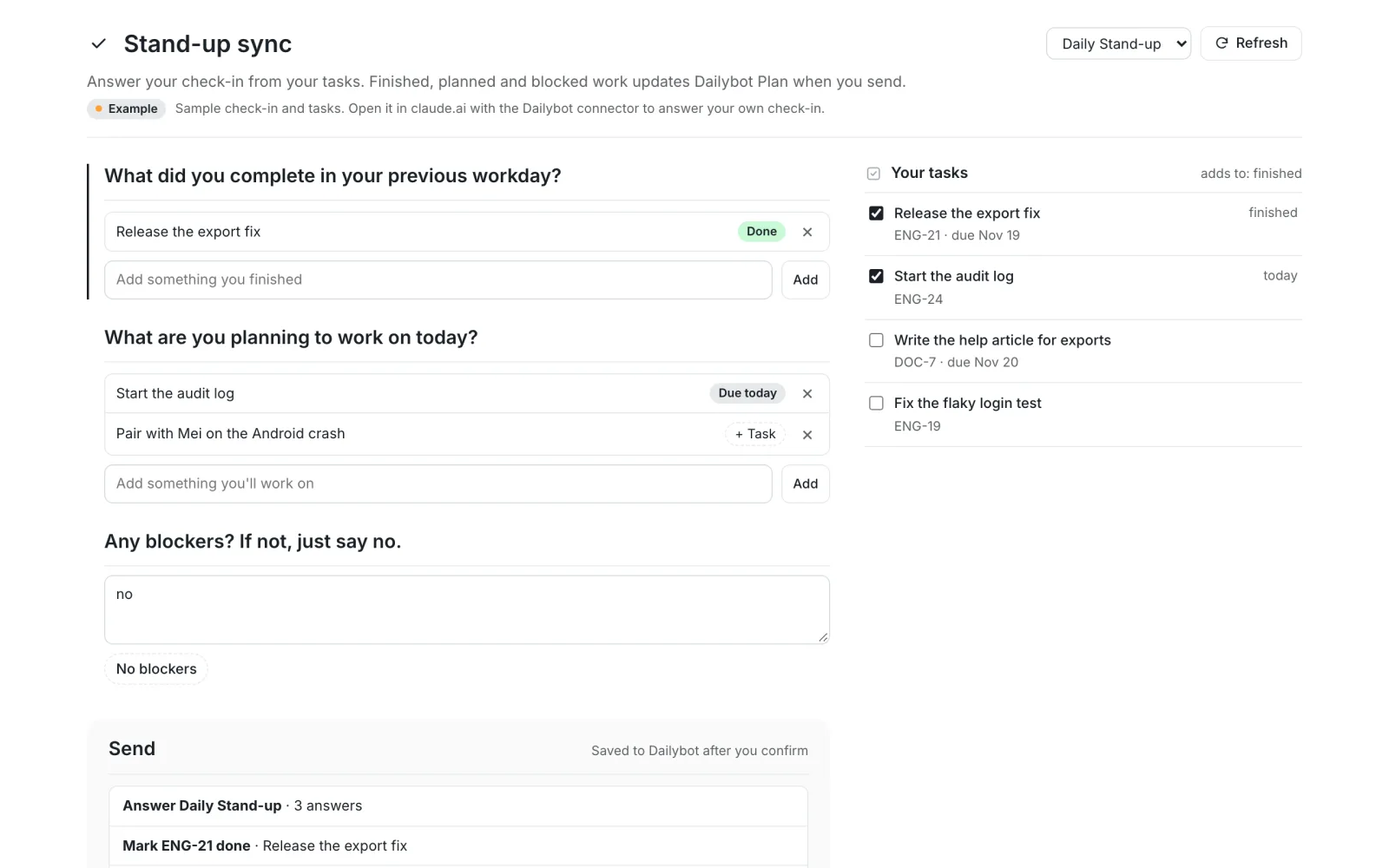
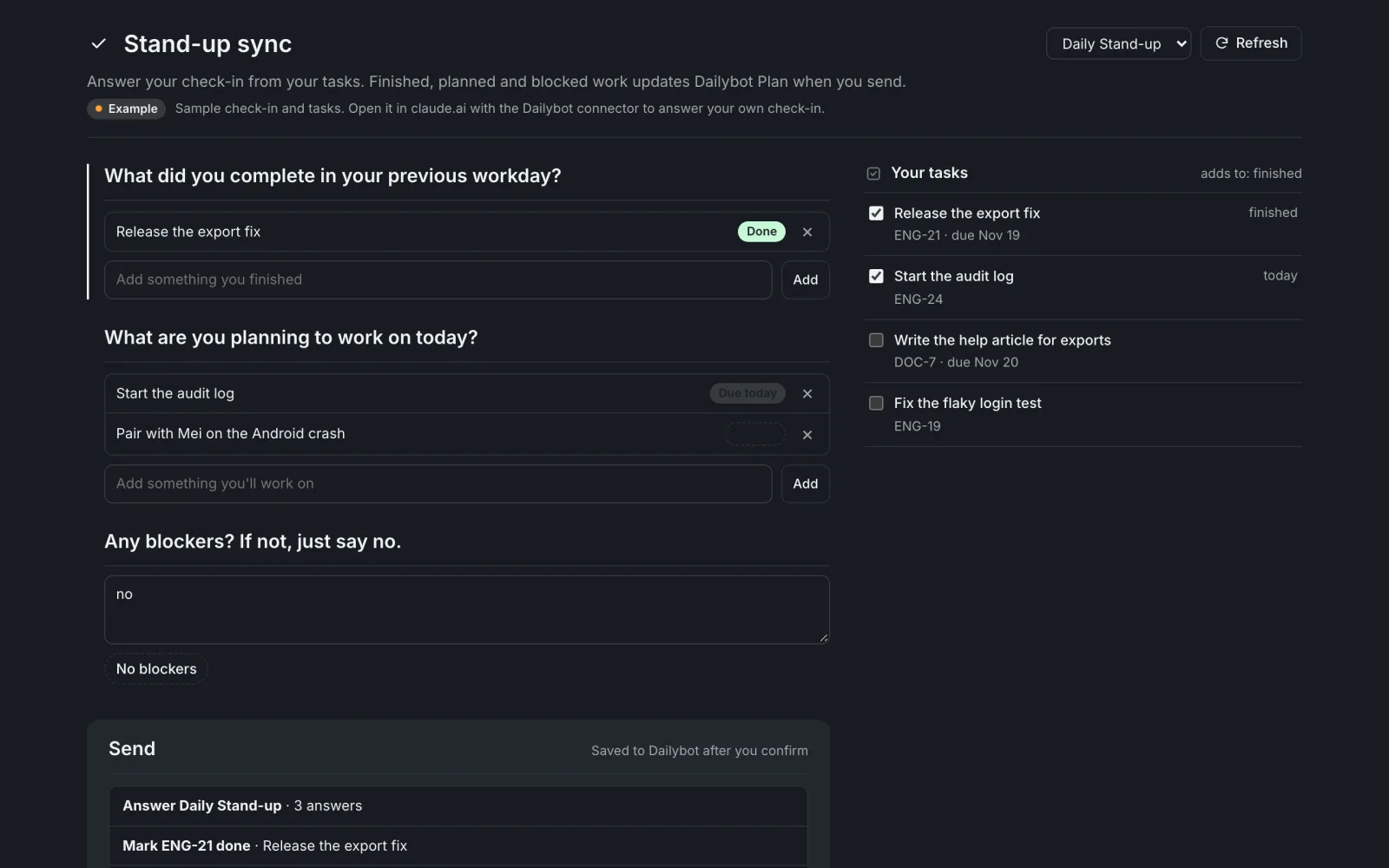
Answer your check-in from your task list. When you send, your tasks in Dailybot update to match.
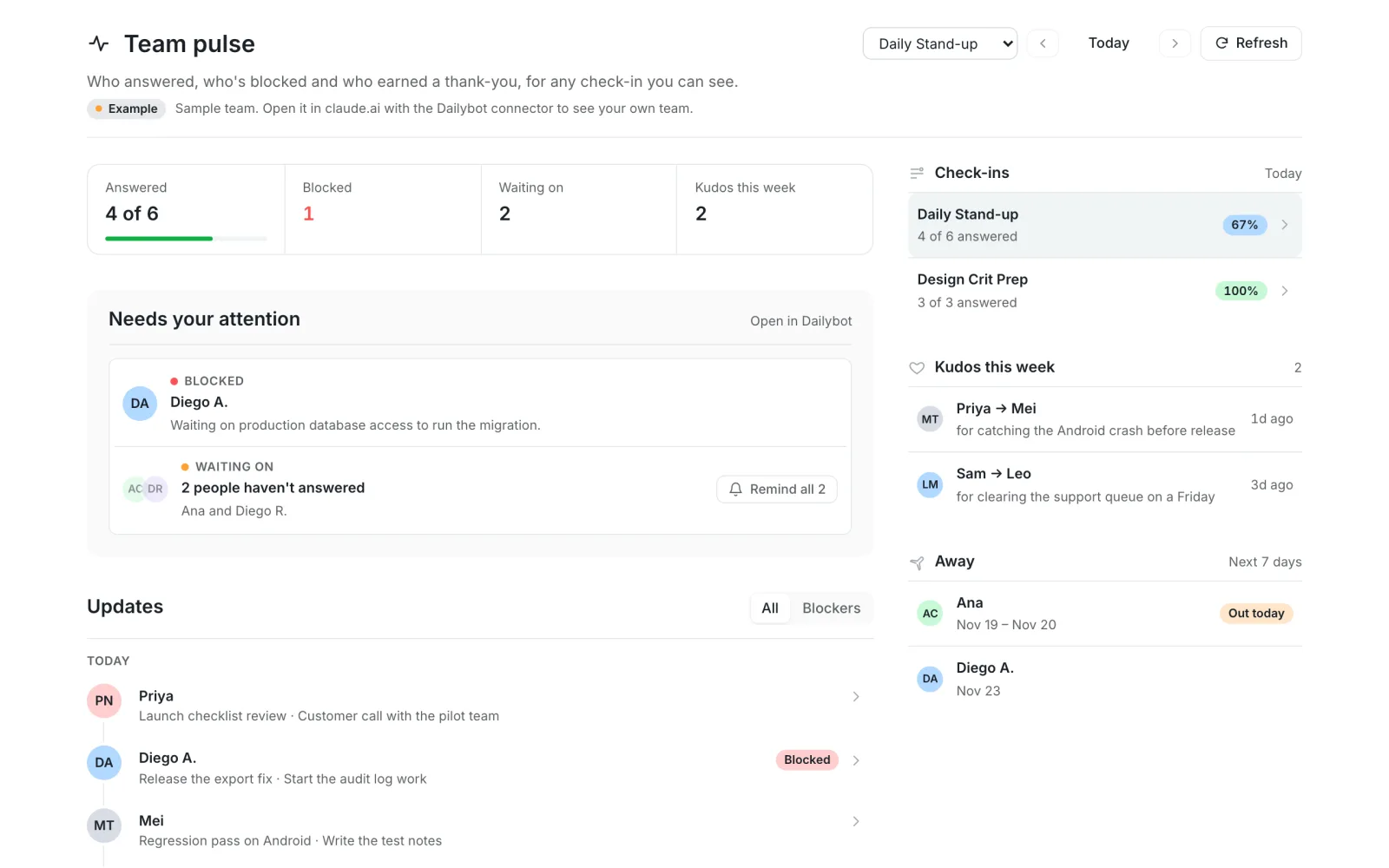
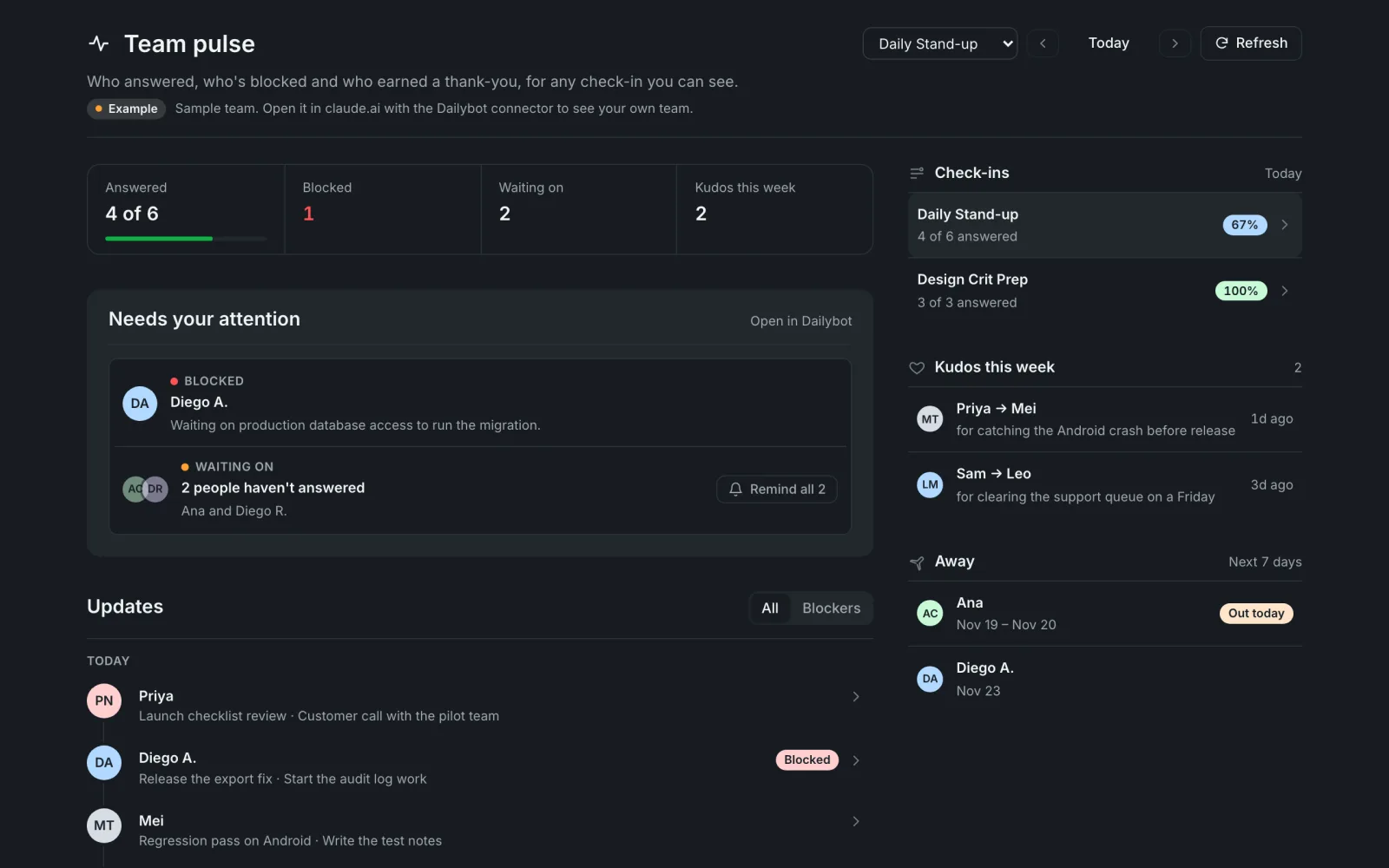
Read a check-in in one minute: who answered, who is blocked and who has not answered yet.
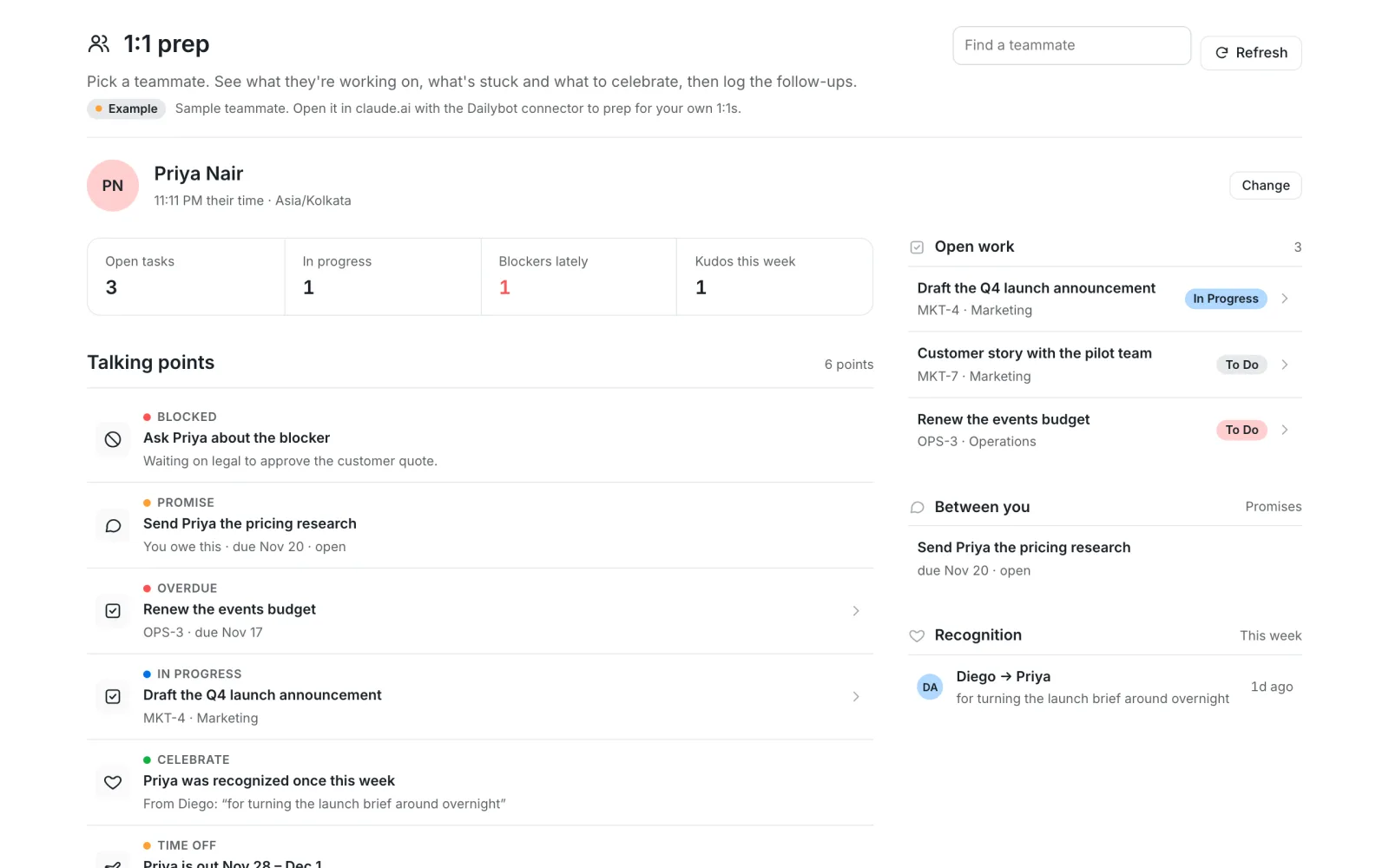
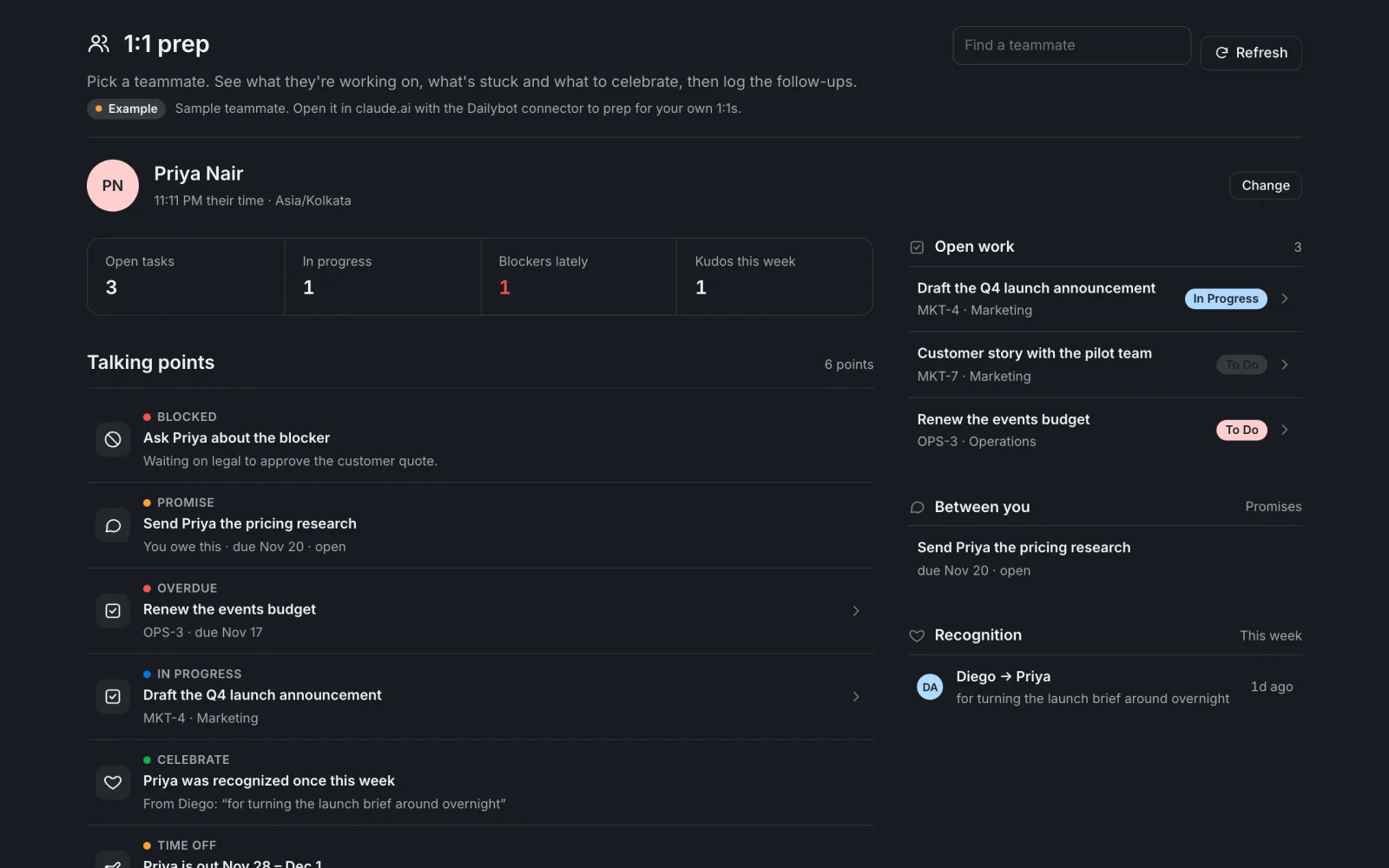
Pick a teammate and walk into the 1:1 knowing their open work, blockers and wins.
Without a connector named "Dailybot", a template shows example data.
Say it the way you would say it to a teammate.
No. In Claude or ChatGPT, adding the connector is a short form with a name and a URL. Watch the video above and follow along.
No. Connecting and asking work on the free plans of Dailybot, Claude and ChatGPT. In ChatGPT, OpenAI lists actions that change things for its Business, Enterprise and Edu plans.
Only what your Dailybot account can see, in the one organization you pick when you sign in. Remove the connector to end access.
No. It reads freely, but it sends, approves or changes something only when you ask, and you can review the action in your assistant before it runs.
Your organization needs MCP access. Ask your Dailybot admin to check it.
No organization on this account has MCP access. Check membership and ask your Dailybot admin.
The session expired, access was revoked or MCP is paused. Reconnect when the client asks you to sign in again.
A temporary outage. Try again later; your authorization stays.
Check that the server is enabled, OAuth finished and the organization has MCP access. A saved config alone does not prove sign-in.
No. MCP signs in through the browser only. For scripts and CI, use the Dailybot CLI or API.

Connect Dailybot to the assistant you already use and ask your first question today.Add the server, sign in, and ask your first question.
Claude · ChatGPT · Claude Code · Codex · Cursor · VS Code