What it’s for
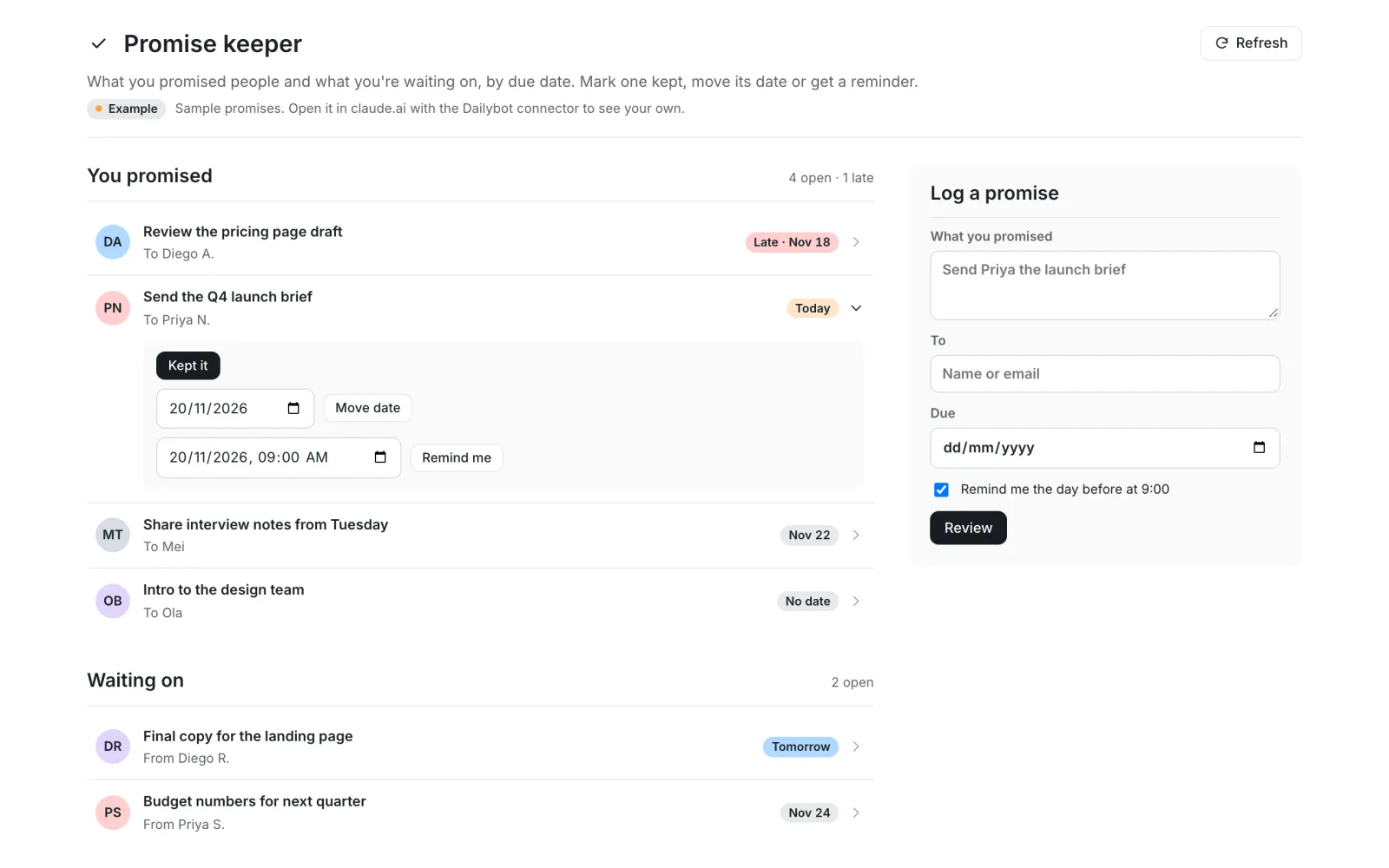
Promise Keeper keeps the small promises from getting lost: what you told people you’d do, and what they told you they’d send. It lists both by due date, so the late ones are on top.
What you see
You promised. Every open promise you made, with who it’s for and its due date. Late ones are marked in red, and today’s and tomorrow’s are marked too. Open one to act on it.
Waiting on. What other people promised you, laid out the same way.
Log a promise. A short form on the side: what you promised, to whom, the due date, and an option to get a reminder the day before at 9:00.
An Example label appears when the page shows sample data.
What it can change
- Mark a promise as kept, or one you were waiting on as received.
- Move a promise to a new due date.
- Set a reminder. Dailybot sends it to you in your work chat at the time you pick.
- Log a new promise, with an optional reminder.
Each change shows exactly what will happen and waits for your confirmation. Your team sees promises and their dates in Dailybot; reminders are only for you. If a name matches more than one person, nothing is logged and the page asks you to be more specific.
Make it yours in two steps
You need Claude and a Dailybot workspace with MCP access.
- Add the Dailybot connector to Claude. Customize (claude.ai/plugins) → Connectors → Add → Add custom connector. Name it "Dailybot" exactly, use https://mcp.dailybot.com/mcp, then Connect and Allow.
- Duplicate a template. Open it, then Share → Duplicate. Your copy runs on your Dailybot.
Without a connector named "Dailybot", a template shows example data.
Using Claude Code, Cursor, VS Code or ChatGPT? open the setup guide
Prefer to ask?
Type this in Claude with the Dailybot connector on to get the same result without the template.