Add user insights to your daily check-ins (sentiment, follow-ups)
To take your daily check-ins to the next level, we’ve implemented a new feature in order to use Dailybot’s AI capabilities to benefit your team’s workflow by using your own data to get the most out of it. Read the guide below to give it a try!
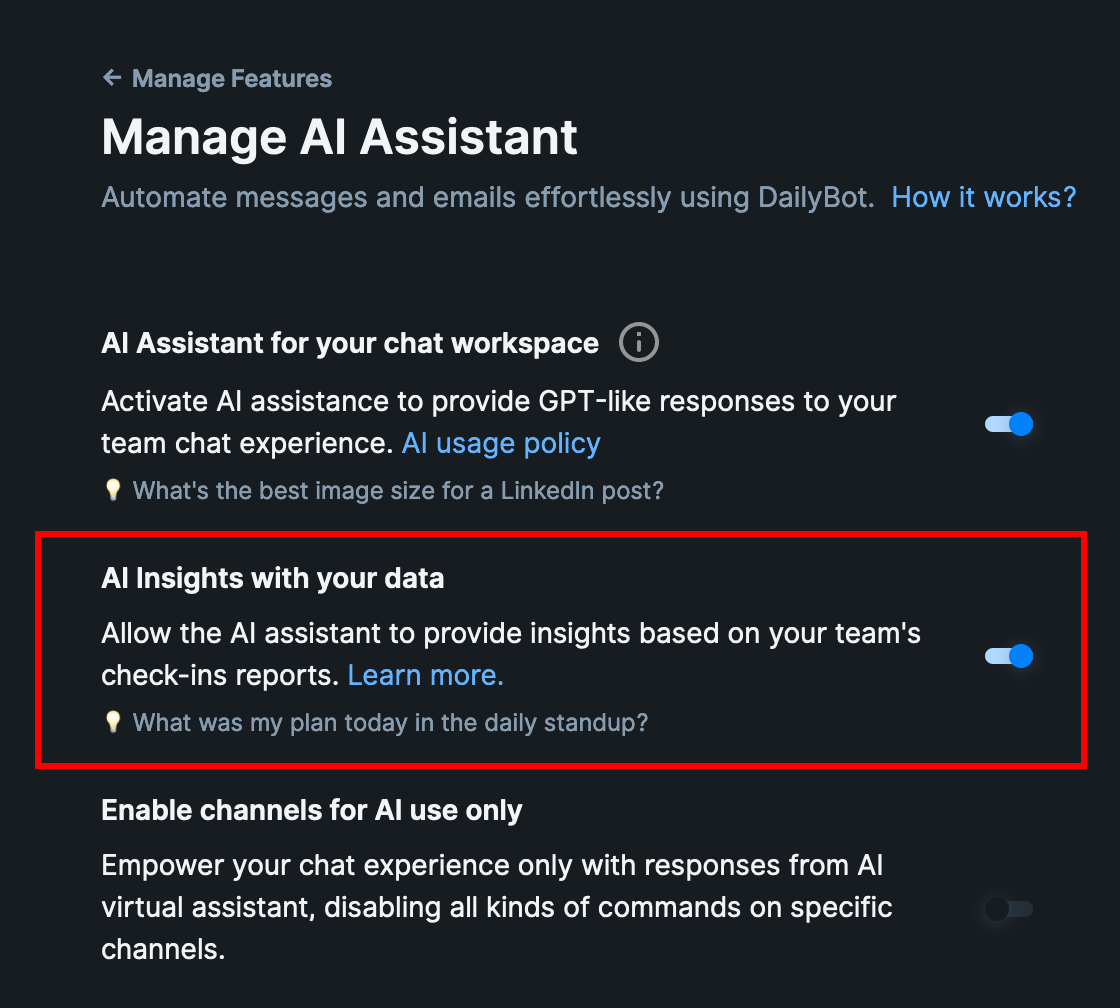
- To get started, enable the option highlighted below directly from this tab: https://app.dailybot.com/settings/features/manage/ai
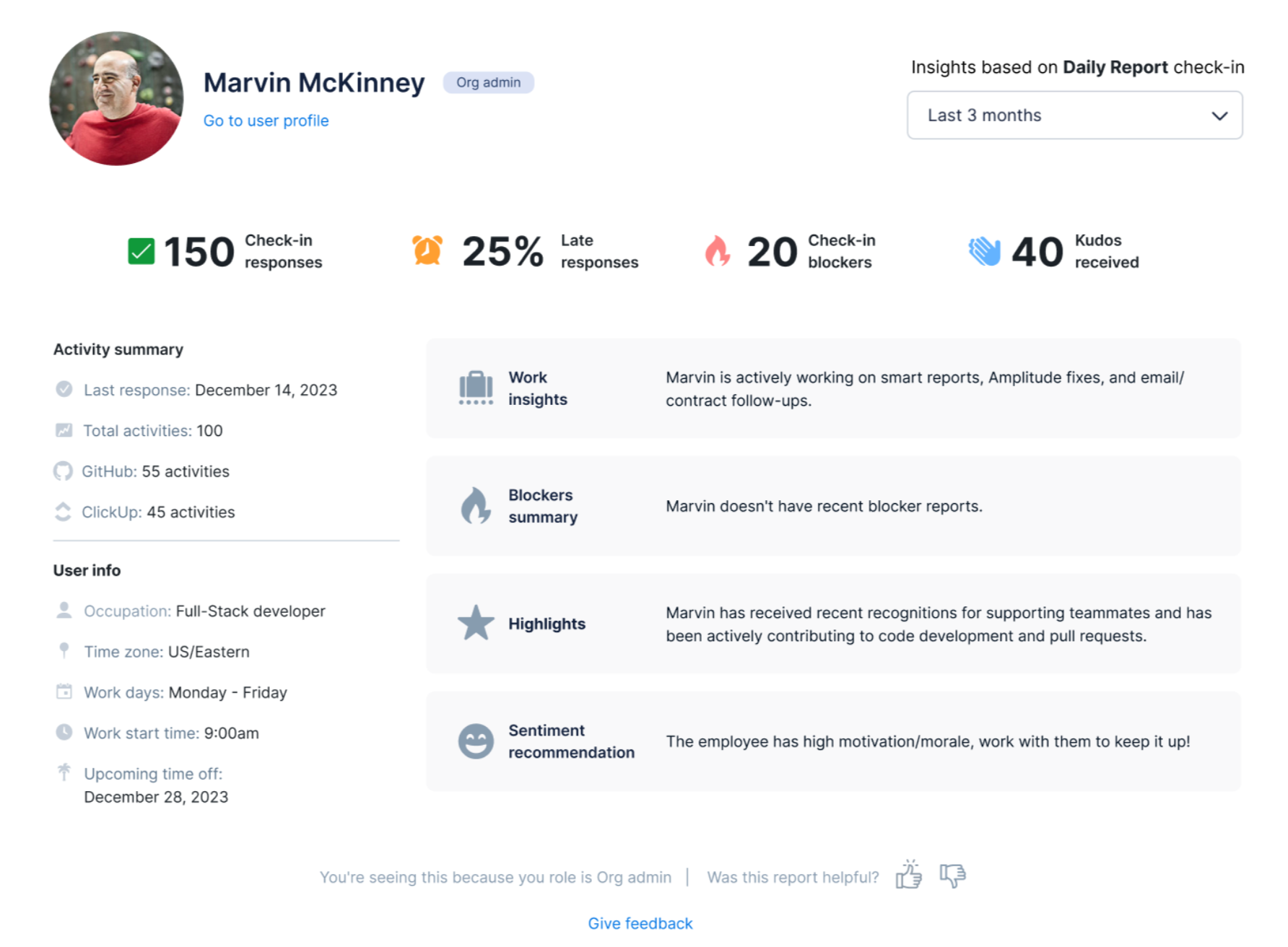
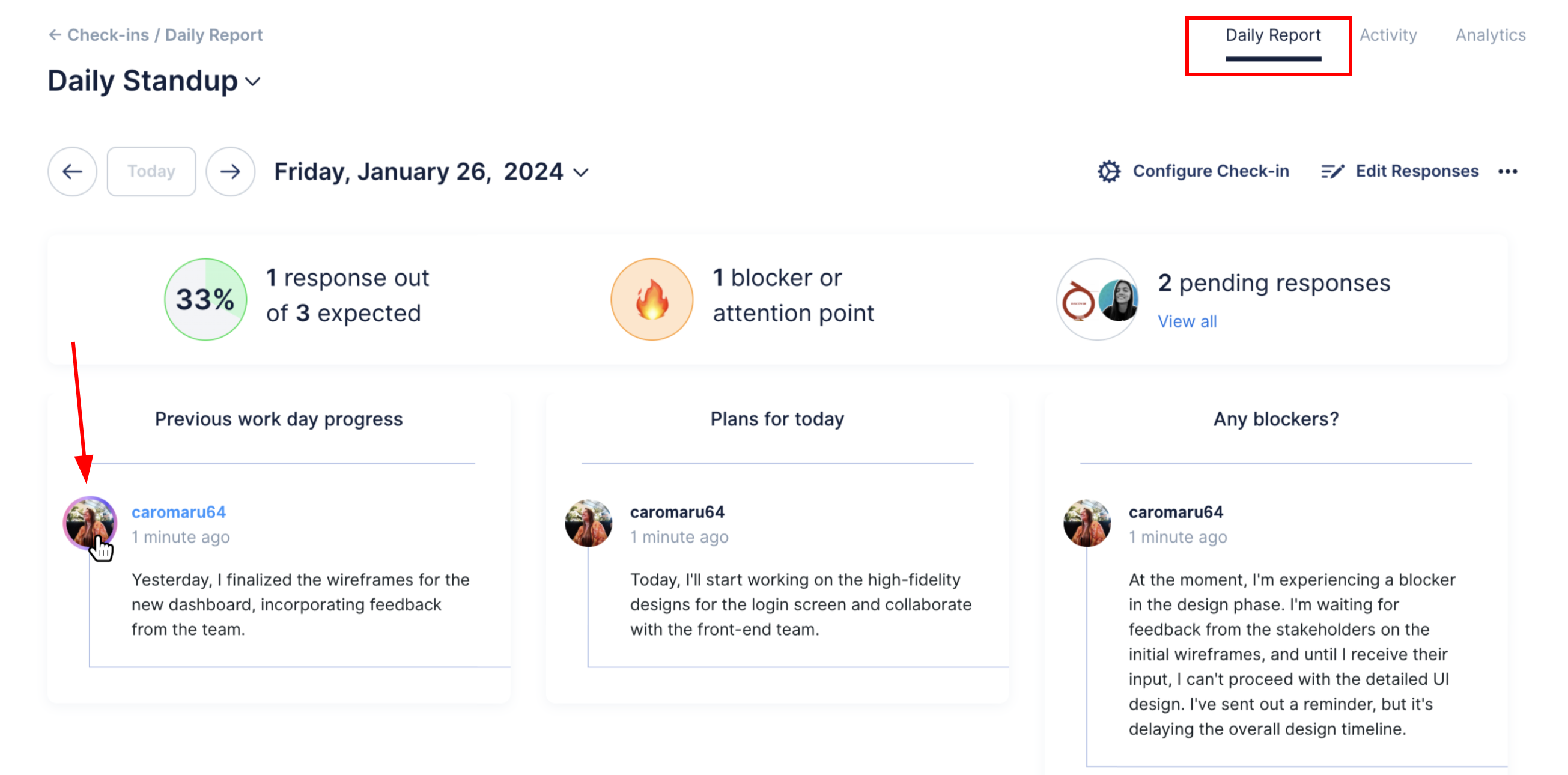
 2. Once that's enabled, you can find each member insights based on their check-in responses that have been previously processed by Dailybot. When hovering over one user's avatar or name, it changes color, and clicking on it opens a modal that contains the user's interaction totals with that check-in and an smart summary of the last 5 reports completed.
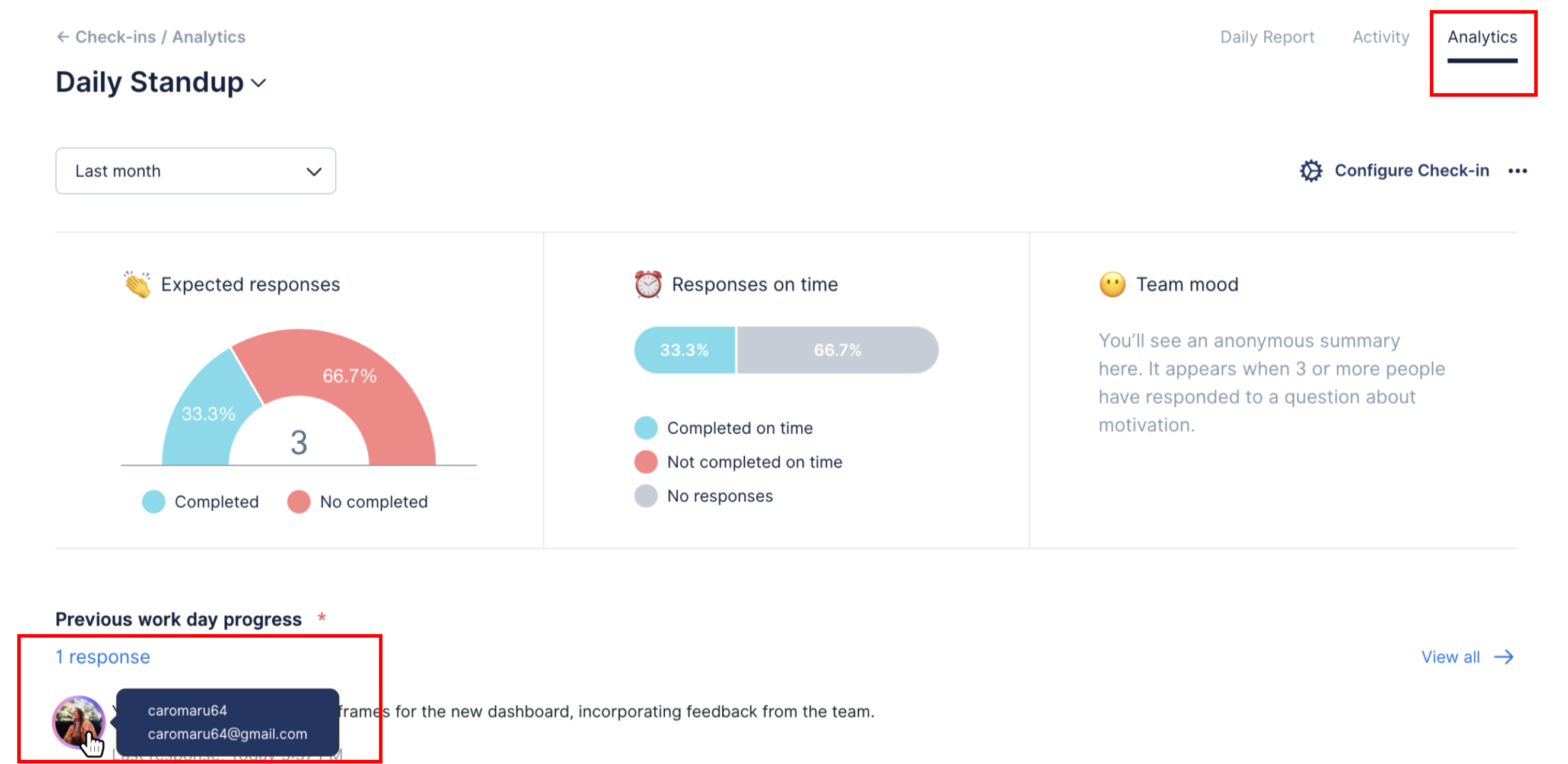
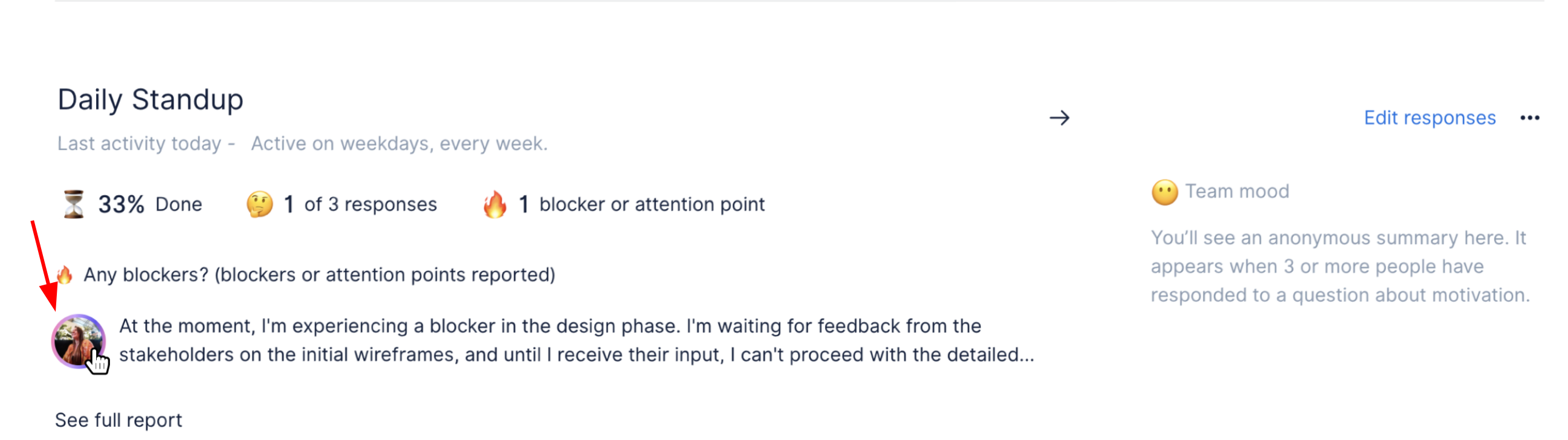
You’ll access this data from the user’s avatars within Check-ins, i.e., Check-ins home, Daily Report, Activity, and Analytics tab.
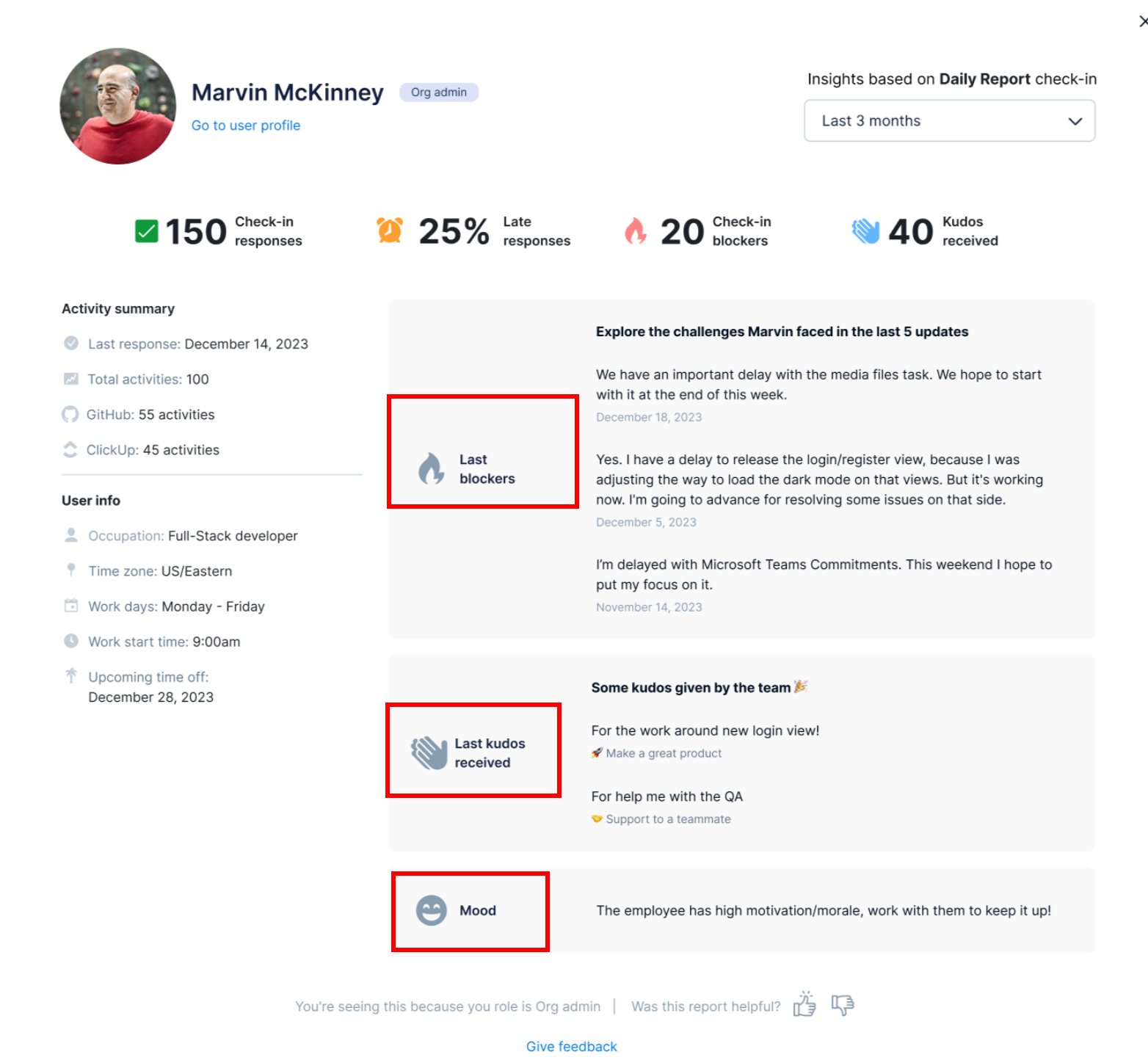 4. Through natural language, an admin can ask Dailybot for a member's status at any time, and the bot will respond with an analysis of the last 5 reports in an easy-to-read text with valuable insights.
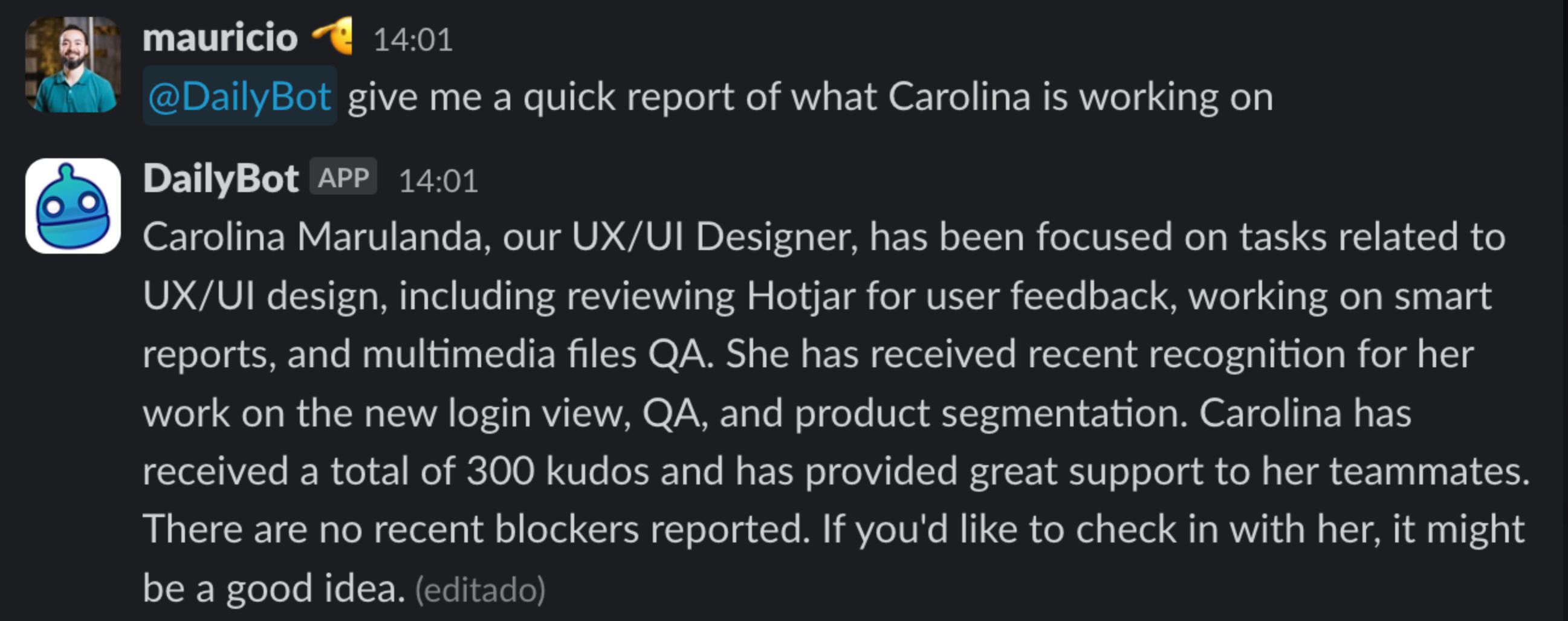
Find some examples of intents or prompts that can be used to get your team’s insights in the chat:
-
Can you update me on Catalina’s recent work?
-
How is Catalina’s progress on her projects?
-
Any updates on Catalina’s projects?
-
Status check on Catalina’s tasks?
-
Brief on Catalina’s recent accomplishments?
-
What’s new with Catalina’s workload?
-
Update on Catalina’s contributions?
-
I want a quick summary of Catalina’s work
-
Tagging variations (depends on the platform)
-
Give me a report of [email protected]
-
Give me a report of @Katherine
-
Give me a report of Catalina
Notes:
-
Open for Managers and Org Admins
-
Available for paid plans only
Got additional questions or want to share your feedback? Submit a ticket here.