August updates: Labels, organization time off, and form approval comments
August is about finding your work faster and keeping your team’s calendar in sync. Labels, Featured items, and saved views land across Check-ins, Forms, and Automations, admins get an organization-wide time off manager, and form approvals get more personal.
Labels, Featured, and saved views
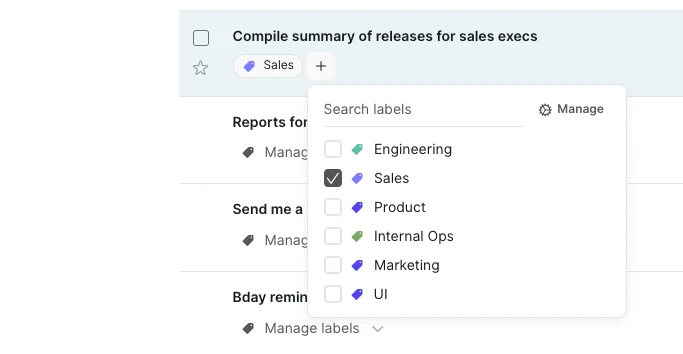
Once a workspace has dozens of check-ins, forms, and automations, a flat list stops being enough. Organization Labels give your whole team one shared set of tags. Admins create them in Settings, anyone with access can attach them to a check-in, form, or automation, and the home lists filter by label.
Two personal tools sit next to them. Featured lets you pin items to the top of your own lists with a star, and nobody else sees your picks. Saved views store a filter and layout combination under a name, so “My open forms” is one click away. Check-ins, Forms, and Automations now open on active items by default, and the filters and saved views share a single compact panel.
Labels and Featured also work from the Dailybot CLI and the agent skill, so a coding agent can organize your workspace the same way you do. The Organization Labels article in the Help Center covers the details, including the public API filter.
Time off for the whole organization
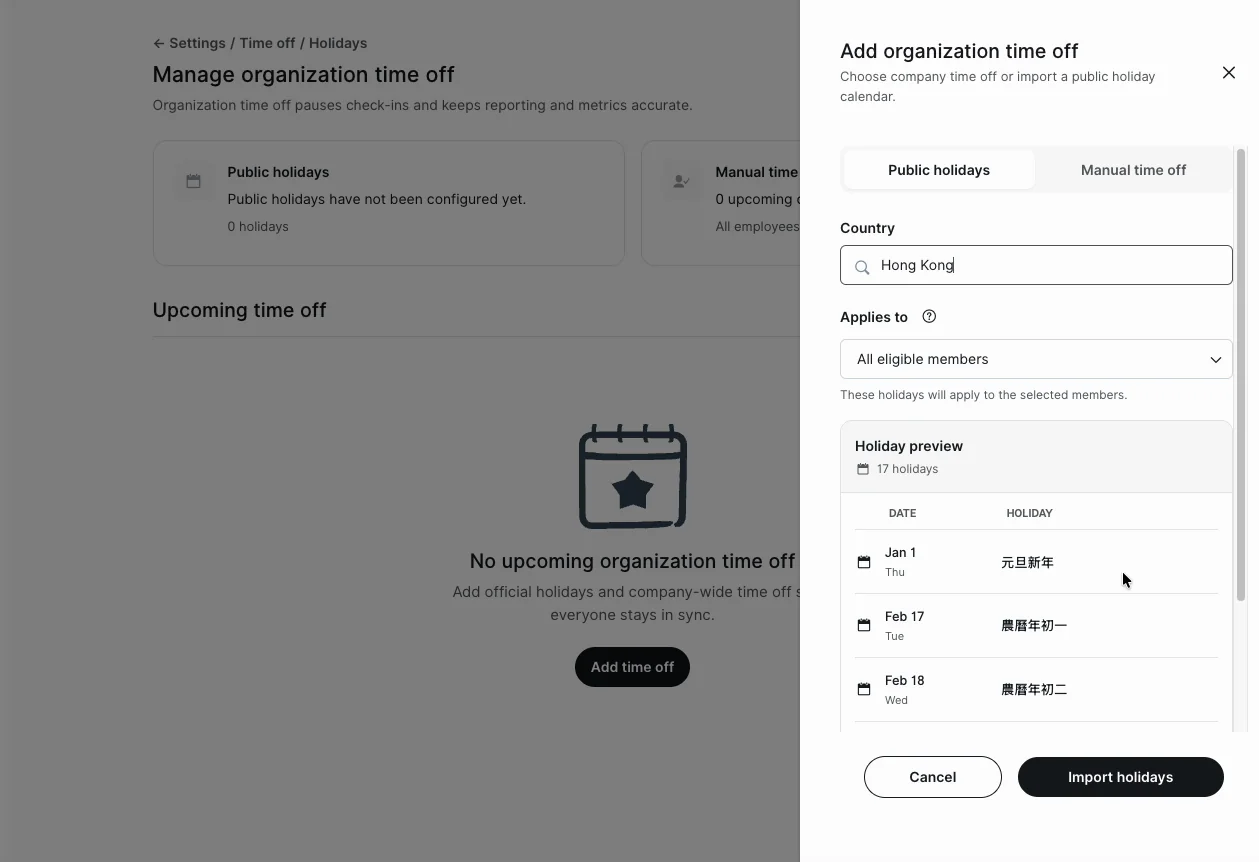
Until now, time off was something each person logged for themselves. This month it steps up a level: admins get a new Manage time off page in Settings → Organization settings that handles company-wide time off in one place, so nobody has to enter the same holiday a hundred times.
There are two ways to fill it. Subscribe to public holidays by picking a country, review a preview of every date that will be imported, and choose who the calendar applies to. Or add manual time off for company-specific days off that no official calendar covers, and apply it to everyone. You can add as many country calendars as you operate in, and the upcoming days show in one table with their source.
Organization time off pauses check-ins and keeps reporting and metrics accurate, so days off don’t distort your numbers. Public holidays also appear next to each person’s own time off in Manage time off, which stays the place for individual vacations and days off.
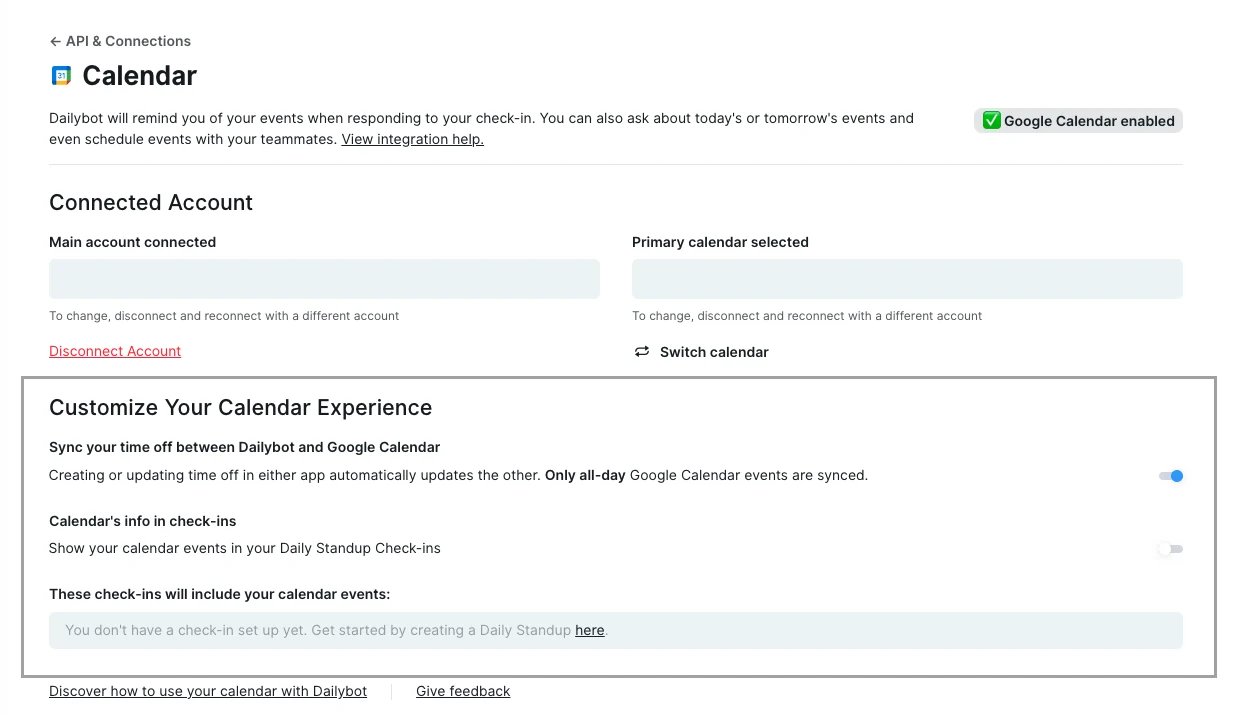
Personal time off also syncs both ways with Google Calendar. Turn on Sync your time off between Dailybot and Google Calendar in Settings → API & Connections → Calendar, and creating or updating time off in either app updates the other. Only all-day Google Calendar events are synced.
Form approvals that reach the right person
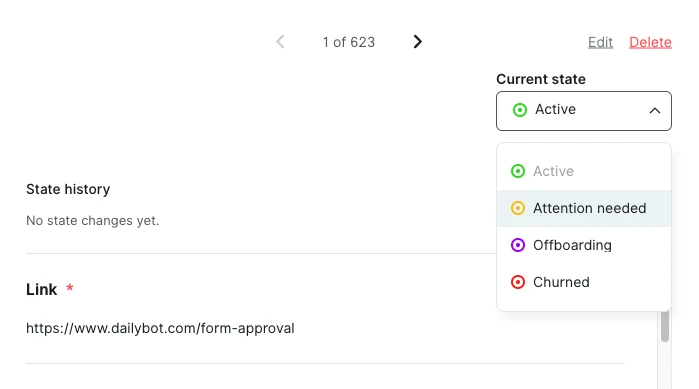
Forms with team approvers now notify each teammate individually in Slack, instead of one shared message. Approvers can add an optional comment when they approve or deny, from the web app, Slack, the API, or the CLI. The comment goes back to the person who made the request, so a denial can come with a reason.
Approving or denying from chat also works again after a stretch where buttons reported an expired action. The forms with approval flows article explains how to set approvers and turn comments on.
Slack user groups
Dailybot needs one extra Slack permission to read user groups, which is how it resolves @group mentions. New installs ask for it. Existing workspaces keep their current permissions until Dailybot is reinstalled, so if you administer a workspace that still can’t use user groups, you may see a prompt on your home page to update the Slack connection. One update turns on user groups for everyone in the workspace.
Improvements
 Check-ins
 DiscordPrivate Discord channels that Dailybot can already see now appear in the Report destination picker for check-ins.
- Public holiday calendars load faster for larger organizations.
 AutomationsThe Automations home has a cleaner table, with View logs on row hover and a clearer control to expand templates.
- The billing manager role is now called billing contact, and appointing an active member asks you to confirm first.
Fixes
- Check-insCheck-in CSV and Excel exports keep Creation Date, Check-in Name, and Respondent on every row, even when the date range includes older versions of a question. Archived answers appear under their own columns.
 FormsTyping @ in a check-in or form answer shows the teammate list again, and the emoji menu opens when you type a colon.
- Team admins can use the member menu in Edit team to appoint an admin or remove a member again.
- You can invite teammates from chat again with invite or invitar, or by asking in plain language.